 TurbineDesk
 Back to 6.4 MW Package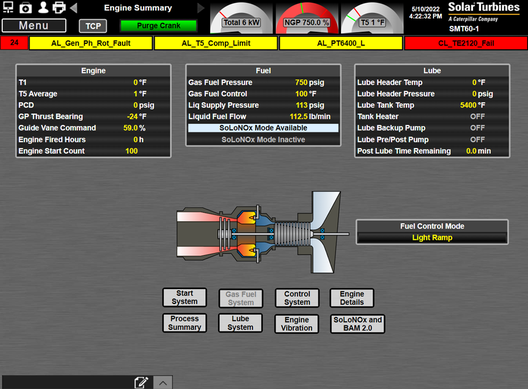
6.4 MW Start-Up
0%Engine start sequence
Step 1 of 4
Step 1 – Initiate Start Sequence
Confirm pre-start checks and Package AC Power procedure are complete before starting.
Only restart one minute after turbine speed drops to 15%. After 3 failed starts, additional troubleshooting required.
action
Go to Engine Summary screen to monitor the turbine during start.
HMI Reference
action
Start the turbine using one of: TCP window → click Start → Ok; OR press START/STARTING switch SH0471 on Turbine Control Panel; OR press START/STARTING switch SH7511 on Supplementary Control Panel.
monitor
[Starting] shows on screen header; START/STARTING light begins flashing.
0/3 items checked